Top Ways to Prevent White Ink from Clogging Your DTF Printer’s Printhead Fr
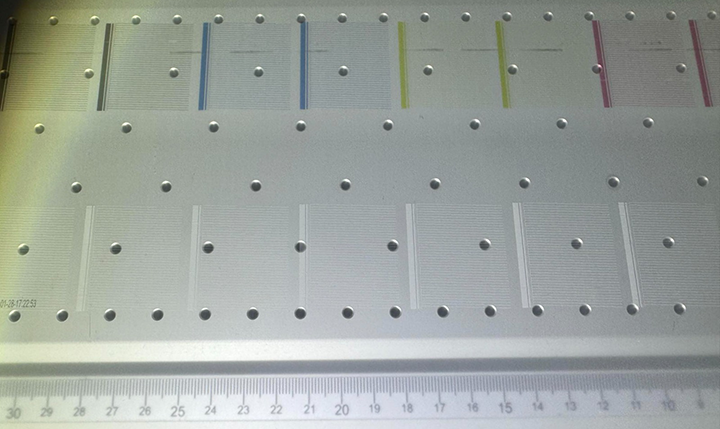
Direct-to-Film (DTF) printing has revolutionized custom apparel design, offering unparalleled versatility and vibrant prints. However, one common challenge that DTF users face is the clogging of white ink in the printhead. White ink, being thicker and more prone to settling, requires special attention to maintain a consistent flow. Here are the top strategies to avoid white ink clogs and ensure your DTF printer operates smoothly.
1. Invest in the Right Equipment
One of the most effective ways to prevent white ink from clogging is to invest in a printer equipped with features designed to manage white ink properly. Look for models that offer:
- White Ink Stirring: This feature ensures that the white ink is constantly agitated, preventing it from settling and causing blockages.
- White Ink Circulation: Circulation systems keep the ink moving throughout the printer, reducing the likelihood of clogs by maintaining an even consistency.
- Best Printhead for DTF: The i3200 printhead is widely regarded as the best choice for DTF printing. It’s specifically designed to handle the demands of DTF printing, including the use of white ink.
2. Use High-Quality White Ink
Not all white inks are created equal. The quality of your ink plays a significant role in preventing clogs. Opt for high-quality white inks that are specifically formulated for DTF printing. These inks are typically more refined and consistent, reducing the risk of settling and clogging. Always purchase your ink from a reputable supplier to ensure you’re using a product that’s been tested and proven in DTF applications.
3. Keep Your Printer in Regular Use
Frequent use of your DTF printer is one of the simplest ways to prevent white ink from clogging. Regular printing ensures that the ink continues to flow through the system, reducing the chance of it settling and causing blockages. If your printer sits idle for too long, the white ink can begin to thicken and clog the printhead. Aim to use your printer daily, and if that’s not possible, be sure to print a minimum of 6-8 feet of film to keep the ink flowing
4. Ensure Proper Sealing and Alignment
When your printer is not in use, it’s crucial to make sure that the printhead is properly sealed to the capping station. This prevents air from reaching the ink and causing it to dry out, which can lead to clogs. Additionally, check that the printhead is correctly aligned with the capping station. Misalignment can cause poor sealing, leading to drying and clogging issues.
5. Regular Maintenance is Key
To keep your DTF printer in top condition, regular maintenance is essential. Follow the manufacturer’s recommendations for changing key components, such as:
- Dampers: These help regulate the flow of ink to the printhead. Over time, they can wear out or become clogged themselves, so regular replacement is crucial.
- Capping Station: The capping station seals the printhead when the printer is not in use, preventing the ink from drying out. It’s important to replace it as needed to maintain a proper seal.
- White Ink Filter: This filter catches any particles or debris that might be in the ink. Replacing it regularly ensures that only clean, smooth ink reaches the printhead.
By following these tips and keeping up with regular maintenance, you can significantly reduce the risk of white ink clogs in your DTF printer. While printheads do have a finite life, taking these precautions helps maintain the quality of your prints and extends the life of your printhead, saving you money by avoiding premature replacements